
Starlink in Israel,
what to know
What Starlink is, how it works, which kits are available in Israel and what an installation needs. A guide from SpotNet, an authorized Starlink business reseller in Israel.
What is
Starlink
Starlink is a satellite internet service operated by SpaceX. It runs on thousands of satellites in low earth orbit, a few hundred kilometres above the earth. A site connects through an antenna that needs a clear view of the sky and a power feed.
The kit on site
An antenna, a Wi-Fi router, a power supply and cables. The antenna is an electronically steered phased array with no moving parts, mounted on a roof or a pole.
The satellites overhead
The antenna links to the satellites passing over the site, and they carry the traffic to ground stations connected to the internet.
Latency
The satellites orbit low, so latency is measured in tens of milliseconds - 20-40 ms for the Business Standard kit, by Starlink's published figures. That suits video calls, VPN and work in cloud applications.
Starlink
in Israel
Two kits are available in Israel - Standard and Mini. The Performance line and the Enterprise Terminal are not available here. The service is for a fixed site: Starlink states on its Israeli help centre that Roam and in-motion use are not permitted in Israel, for local regulatory reasons.
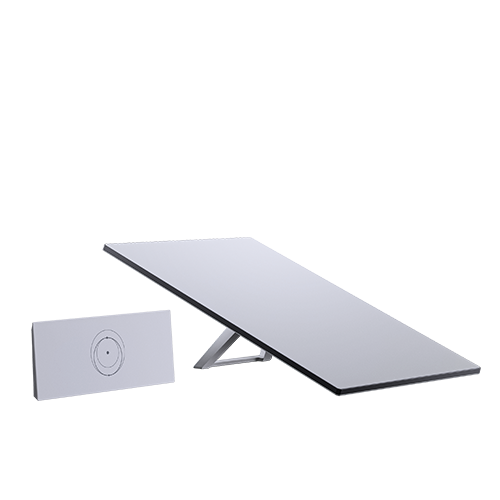 Standard | 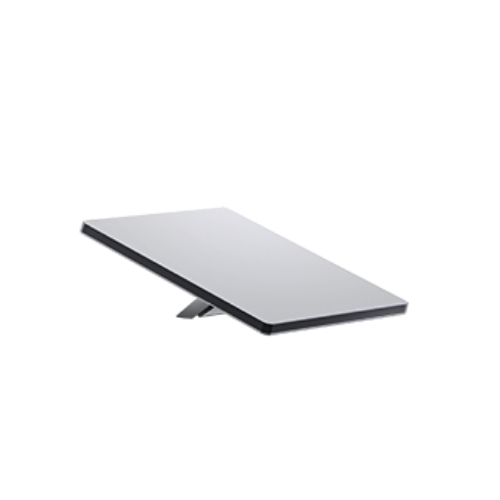 Mini | |
|---|---|---|
| Antenna | 59.4 × 38.3 cm | 29.9 × 25.9 cm |
| Weight | 2.9 kg | 1.1 kg |
| Router | Router 3, separate | Built into the antenna |
| Download | 40-350 Mbps | 50-200 Mbps |
| Upload | 8-30 Mbps | 5-15 Mbps |
| Latency | 20-40 ms | 25-50 ms |
| IP rating | IP67 | IP67 |
| Use | Fixed sites: offices, branches and remote sites | A quick set-up on site |
Typical performance, as Starlink publishes it. Actual speeds and latency may vary based on location, network congestion and environmental conditions.
For almost every fixed business site, the Standard is the answer. The Mini is smaller and lighter, carries its router inside the antenna and can be powered from USB-C, which suits a quick set-up on site.
What an installation
needs
The antenna needs a clear view of the sky and a power feed. It goes on a roof, a pole or a container roof, and a sloped roof takes a pivot mount. A cable runs from the antenna to the router and the power supply indoors.
From survey to a monitored line
An engineer checks the clear view of sky, maps obstructions and picks the right place for the antenna. Our own crews mount it, run cables and ground the system, and the line joins the router or firewall already on site. From then on it appears in the customer portal, with an alert if it drops.
Into the network on site
The Standard kit's Router 3 gives two LAN ports, or can be bypassed entirely so the link connects straight to your own firewall and becomes one WAN among several.
SpotNet installs nationwide, within about 7 business days. Basic installation includes up to 15 m of cable.
Speed, latency
and weather
Starlink publishes a typical download range of about 40-350 Mbps for the Business Standard kit and 50-200 Mbps for the Mini. Actual performance depends on location, plan and network load, and may vary over time.
Rain, snow and heat
The terminal is built to operate in rain, snow, heat and changing environmental conditions. Heavy precipitation may temporarily reduce throughput or cause short interruptions. The terminal has a snow-melt function that clears accumulated snow.
Obstructions
Trees, walls or poles in the antenna's view of the sky can cause short interruptions. The site survey maps them and picks the place for the antenna accordingly.
Priority on the Starlink network
On a SpotNet business line, all of the monthly allowance is Priority Data.
For a home
or for a business
For a home, Starlink sells the service directly. SpotNet works with businesses and organisations and sells a managed Starlink line: a fixed monthly package per line that includes Priority Data, support in business hours and the management of the line with Starlink, with installation by our own crews.
The packages start at 50GB a month, and above 6TB a package grows in 1TB steps. A line can be the site's primary link or its automatic failover.
Frequently asked
questions
Questions people ask about Starlink in Israel.